
8 Ways a Home Office Can Be Organized Around Daily Work Routines
Brandon Galloway | January 15, 2026
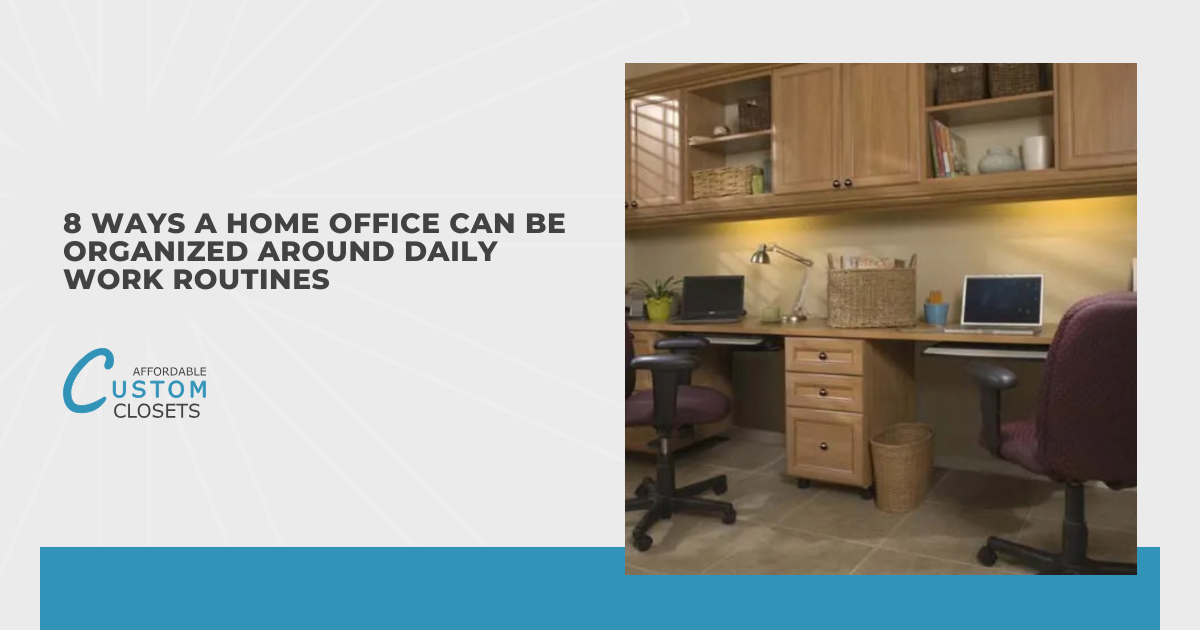
A home office can look tidy and still feel frustrating to work in. I’ve walked into plenty of beautifully styled spaces that didn’t actually support the way someone moves through their day. Often, the issue comes down to how the space is organized rather than how much storage it has. When your setup reflects the routines you repeat daily, it becomes easier to stay focused and keep things under control.
When I organize a workspace, I start by noticing patterns rather than chasing perfection. What do you reach for first, where does paper collect, and which tasks slow you down the most? Those clues tell me what needs to live within reach, what can be stored away, and what needs its own zone. A routine-based setup makes your home office feel lighter because everything has a purpose.
Here are eight routine-based ways I organize a home office so it works with you, not against you:
- Design your layout around your most frequent tasks
- Create zones for different work routines
- Keep daily-use items within arm’s reach
- Sort paperwork by how often you use it
- Set up technology to support your workflow
- Build a simple end-of-day reset system
- Use visual tools to stay on track
- Adjust systems as routines change
These tips aren’t about making your space look “Pinterest perfect,” but about reducing daily friction in small, practical ways that truly add up. Keep reading to find the one change that can make the biggest difference in how you work this week.
Design Your Layout Around Your Most Frequent Tasks
Start by identifying the tasks you do most often in your home office, because those should guide how your space is arranged. When the layout reflects your real work patterns, it becomes easier to stay focused and move through your day efficiently. Instead of working around your space, your space begins to work around you, which reduces small frustrations that add up over time.
- Computer-Focused Work: This includes tasks like typing, research, and data entry that require long periods at your desk. Your desk, chair, monitor, and lighting should be optimized for comfort and sustained focus.
- Phone or Video Calls: If calls are a regular part of your day, you’ll want a spot that feels comfortable and distraction-free. Keeping notes, a headset, and charging cords nearby helps calls feel more seamless and less disruptive.
- Paper-Based Tasks: Reviewing mail, invoices, or printed documents often requires spreading out. Having a nearby surface or clear workspace prevents papers from taking over your main desk area.
- Creative or Brainstorming Work: Creative tasks benefit from flexibility and visual space. This might mean keeping a notebook, whiteboard, or inspiration tools within reach but not permanently on your desk.
I like to arrange the room so these high-frequency tasks happen in the most convenient, comfortable spots. Even small layout changes, like repositioning a printer or adjusting chair placement, can significantly reduce daily friction. Once you map the space to your daily tasks, the rest of your organizing decisions become much easier.
Create Zones for Different Work Routine
Zoning allows your home office to support multiple routines without everything competing for the same surface. Clear zones help your brain shift between tasks while keeping clutter contained. Even in a small space, zoning can be as simple as assigning one corner, shelf, or drawer to a specific routine.
- Focused-Work Zone: This zone supports deep, uninterrupted work such as computer-based tasks. It should be kept as clear and minimal as possible to reduce visual distractions.
- Administrative Zone: This area is designed for paperwork, filing, and routine admin tasks. Storing trays, folders, and office supplies here keeps paper from spreading across your main workspace.
- Meeting or Call Zone: A designated call zone helps you quickly transition into virtual meetings without rearranging your setup. Good lighting, a neutral background, and easy access to tech make this zone especially effective.
These zones don’t need to be large or perfectly separated to work well. When each routine has an intentional place, items are more likely to return where they belong, making the home office easier to maintain. Over time, zoning becomes a habit-builder because it gives you a built-in structure for where things go.
Keep Daily-Use Items Within Arm’s Reach
One of the easiest ways to improve daily efficiency in a home office is to store frequently used items within arm’s reach. If you reach for something multiple times a day, it shouldn’t require standing up or digging through storage. I usually recommend reserving the most accessible drawers or desktop organizers for true daily essentials. This simple adjustment reduces interruptions and makes staying organized feel more natural.
At the same time, I try not to crowd the desktop with everything I might possibly need. It’s easy to keep “just in case” items out where they slowly become visual clutter. A helpful rule is to choose a small, limited space for daily supplies and commit to keeping only what earns its spot. When the essentials are easy to access and everything else is put away, your home office feels calmer instantly.
Sort Paperwork by How Often You Use It
Paper clutter often builds up when there’s no clear system that matches how often documents are needed. In a home office, organizing paperwork by frequency, whether daily, weekly, or occasional, creates an easier flow. This approach prevents important papers from getting buried while keeping rarely used documents out of the way. When paper has a clear next step, it’s far less likely to pile up.
I like to set up simple trays for active paper, such as “To Do,” “To File,” and “To Review.” Those labels make it obvious what happens next, which is what most paper systems are missing. For longer-term documents, broad categories work best because filing needs to be quick, not complicated. If a folder name makes you pause and think too long, it’s usually a sign the system needs to be simpler.
Set Up Technology to Support Your Workflow
Technology should support your work, but in many home offices, it becomes a hidden source of frustration. Missing chargers, tangled cords, or awkward device placement can interrupt even simple routines. I like to think through how technology is used throughout the day and assign consistent homes for each item. When your tech setup aligns with your workflow, everything feels smoother and more reliable.
A charging station can be as simple as a designated outlet, a small basket, or a drawer with a power strip. If you print often, store paper and ink nearby so that task stays contained and doesn’t pull you away from your main workspace. For frequent video calls, it helps to set your lighting and camera angle once and keep that area ready to go. When your tech is organized around your routine, your home office becomes a place you can rely on rather than troubleshoot.
Build a Simple End-of-Day Reset System
A consistent end-of-day reset helps keep a home office from slowly slipping into chaos. Instead of saving organization for the weekend, a short daily routine keeps clutter from compounding. I usually suggest a reset that takes no more than five minutes and includes only a few clear steps. When the system is simple, it’s much easier to stick with, even on busy days.
My go-to reset is clearing the main work surface, putting loose papers into the correct tray, and returning daily tools to their home. This simple routine helps create a smoother start to the next workday and reduces the chance of clutter building up overnight. If your filing system feels too slow at the end of the day, create a temporary “catch-all” for papers and sort it once or twice a week. A small daily reset keeps your home office consistently usable without requiring a big cleanup later.
Use Visual Tools to Stay on Track
Visual organization tools can significantly reduce mental clutter in a home office. When reminders and priorities are visible, your brain doesn’t have to work as hard to keep track of everything. I encourage choosing one primary visual tool rather than several competing systems. The right tool, placed where you naturally look, can quietly guide your day without adding stress.
A wall calendar, a simple weekly planner, or a whiteboard can work well depending on your routine. The key is to place it where you’ll actually use it: near your desk, next to your monitor, or wherever you start your workday. I also like to keep the visual tool clean and current, because outdated notes quickly become background noise. When your home office helps you see what matters at a glance, it’s easier to stay grounded and productive.
Adjust Systems as Routines Change
Even the most organized home office needs adjustments as routines evolve. Changes in workload, schedule, or responsibilities often mean your space needs to shift too. I like to check in with systems periodically to see what’s still working and what feels inconvenient. Making small updates along the way helps your organization stay supportive instead of restrictive.
If something repeatedly ends up in the wrong place, I treat it as feedback from the routine. Maybe the storage is too far away, the container is awkward, or the category doesn’t match how you think. Instead of blaming yourself for being “messy,” try adjusting the system so it’s easier to follow. A flexible home office is the one that stays organized long-term, because it can change right along with you.
Conclusion
A home office that feels good to work in is one that supports your daily routines and how you naturally get things done. When your space follows your daily routines, it becomes easier to focus, easier to reset, and easier to maintain without constant effort. If you’re not sure where to start, pick the one tip that would remove your biggest daily annoyance and try it for a week. Small changes add up quickly, and you deserve a workspace that makes your day feel just a little lighter.